
Eight suites that run the whole school

Teacher first: 10+ AI tools with CBSE and ICSE content
Explore Assist →
From the first doubt to the chapter exam, one connected path
For Class 3 to 12, CBSE and ICSE, with JEE and NEET for Class 11 and 12. Every chapter in four steps.
Where would you like to sign in?
School login
For staff and admins · app.schoolcanvas.com
Student login
For students · student.schoolcanvas.com
Popular with schools
Popular with students and parents
Lesson planning aligned with NEP and NCF, without the late nights
A good lesson plan for NEP and NCF asks for activities, discussion and competency-based questions, not just a topic list. Here is how teachers can get there in less time, and where AI fits in.
On this page
Ask a teacher when lesson plans get written and the honest answer is often "Sunday night". The plan has to be in the file before the week starts, the format keeps changing, and the expectations have grown. Since NEP 2020 and the new National Curriculum Framework, a plan is expected to show more than a topic and a page number. It should show how students will discover the idea, what they will do, how understanding will be checked and how the lesson connects to real life.
That is good teaching. It is also a lot of writing for someone who teaches six periods a day across four sections.
This post looks at what an NEP and NCF aligned lesson plan needs, and how ready content and AI tools in Assist, our AI-powered LMS, take the late nights out of it.
What an NEP and NCF aligned plan includes
Schools use different templates, but most aligned plans cover the same ground:
- Learning outcomes written as what a student will be able to do, not only what will be covered.
- An entry point that links the new idea to something students already know, or to a concept from an earlier class.
- Activities and discussion, so students explore the concept instead of only listening.
- Visuals and real-world examples that make abstract ideas easier to picture.
- Checks for understanding during the lesson, with questions at different levels of Bloom's taxonomy.
- Competency-based questions, such as case-based and assertion-reason items, alongside recall questions.
- Follow-up: practice, homework or revision material for after the lesson.
Writing all seven from scratch for every chapter is where the hours go.
Start from a ready plan, then make it yours
Assist comes with lesson plans aligned with NEP and NCF, built for the chapter and matched to the latest NCERT textbooks for CBSE classes. A dedicated academic team prepares them and keeps them updated when the curriculum or exam pattern changes, so teachers don't have to track every change themselves.
A ready plan is a starting point, not a script. The teacher adjusts the pace for her class, swaps an example for one her students will recognise, and adds her own material through custom content upload. Schools can also have school-wise curated teaching plans from the Assist academic team.
The AI tools in Assist add another option. Among the 10+ AI tools for teachers is a curriculum-aligned lesson plan tool, along with tools for instant quizzes, activity sheets, mind maps and customisable worksheets. A teacher who wants a fresh plan for a revision lesson, or an activity sheet for a mixed-ability group, can create a draft in minutes and then edit it. The teacher decides what goes into class; the tool saves the typing.
The materials that come with the plan
A plan is only as useful as the materials behind it. For each chapter, Assist brings the plan together with:
| Part of the lesson | Material in Assist |
|---|---|
| Teacher preparation | Refresher videos in English and Hinglish, checked by faculty for accuracy |
| Teaching on the smart board | Animated, curriculum-aligned conceptual presentations that work on any smart screen |
| Explaining the concept | Concept videos, 2D and 3D assets, mind maps |
| Checking understanding in class | In-chapter quiz that picks the right student for each question |
| Practice and homework | Ready-to-use chapter-wise worksheets mapped to Bloom's taxonomy, and dynamic worksheets |
| Revision | Chapter-wise handouts, formula sheets, points to remember, chapter in one shot |
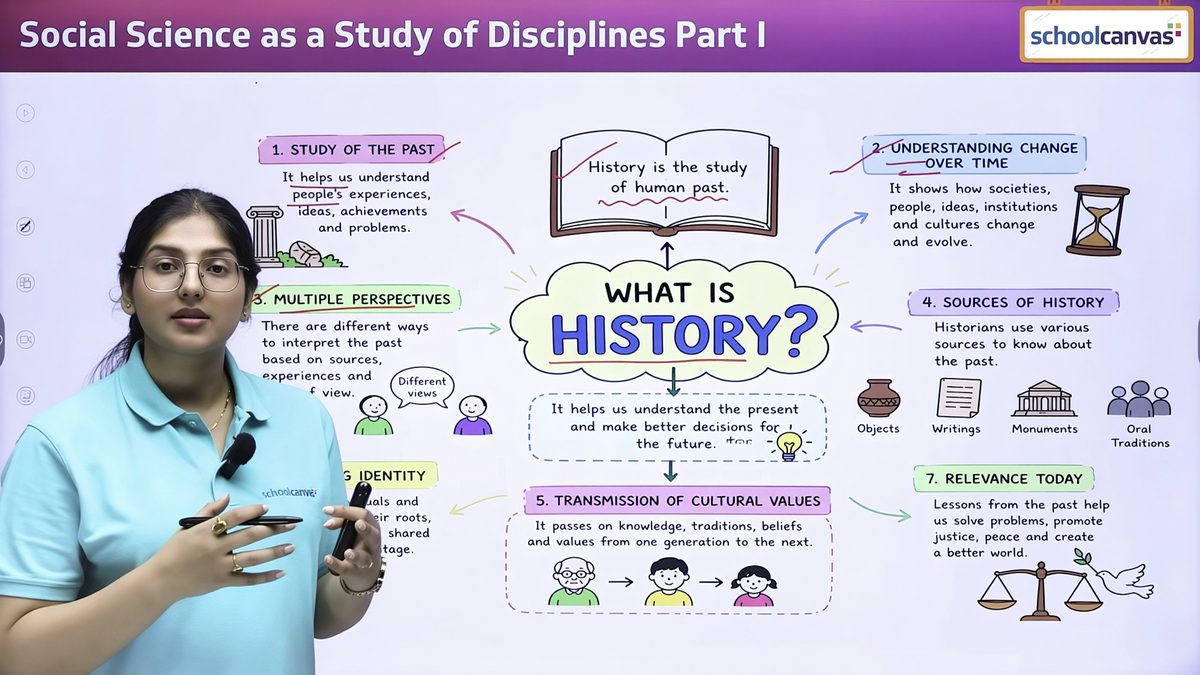
Conceptual presentations solve a common smart-board problem. With video-only teaching, the teacher plays, pauses, explains and rewinds. A structured, animated presentation keeps the flow in the teacher's hands and leaves room for discussion, which is exactly what the new frameworks ask for.
Getting new teachers ready quickly
Hiring experienced teachers is hard, and many schools start the year with someone new in a senior class. Ready plans, refresher videos and presentations let a new teacher walk in with a strong lesson from the first day.
At Green Valley Public School, our fictional example, a teacher who joined in June to take Class 9 science watched the refresher video for each chapter the evening before, used the presentation in class and followed the plan's sequence of questions. The head of department spent her time observing and giving feedback, not rewriting plans.
It also keeps sections consistent. When four teachers teach the same chapter from the same presentation and plan, students in every section get the same core lesson, while each teacher still brings her own style.
Keeping the plan connected to the timetable and exams
Plans written in a notebook are hard to track. In the Schoolcanvas ERP, the lesson plan module is class-wise, has a status report and is matched to the exam schedule, part of the Academics & Examination suite. The academic coordinator can see which chapters are on track before the half-yearly exam and which sections are falling behind, without collecting files.
When Assist is used with the ERP, the classroom side and the office side share the same records, so what is taught, practised and tested sits in one place.
A simple weekly routine
- Friday: open next week's chapters in Assist and read the ready plans.
- Adjust: change the pace, examples or activities for your class; upload anything of your own.
- Prepare: watch the refresher video for any topic you haven't taught recently.
- Teach: use the presentation and the in-chapter quiz in class.
- Follow up: assign the worksheet as homework and share the chapter handout before the test.
- Update: mark the plan's status so the coordinator sees progress.
Most of this takes minutes rather than an evening, because the writing has already been done.
To see a full chapter in Assist, with smart class content for every chapter from lesson plan to worksheet, book a free demo. Assist comes with a 1-month free trial.
Common questions.
Are the Assist lesson plans aligned with NEP and NCF?
Yes. Assist includes lesson plans aligned with NEP and NCF, and the content follows the latest NCERT textbooks for CBSE classes. The academic team keeps it updated as the curriculum changes.
Can teachers edit the ready lesson plans?
Yes. Teachers adjust pace, examples and activities, and can upload their own content. Schools can also ask for school-wise curated teaching plans.
Does Assist have an AI lesson plan generator?
Assist includes 10+ AI tools for teachers, among them a curriculum-aligned lesson plan tool and tools for quizzes, activity sheets, mind maps and worksheets. The teacher reviews and edits whatever the tool creates.
Which classes and boards does Assist cover?
Nursery to Grade 12, with content for CBSE, ICSE and state boards.
Where this lives in the product.




Talk to us about your school.
A 45-minute walkthrough with a school software specialist, tailored to your board, size and processes. We’ll call you within 4 working hours to fix a time.
Your free demo can cover
- Your own data, formats and processes
- The modules you need, from admissions to fees
- The apps for parents, teachers and staff
- Assist, the AI LMS for your teachers
- A setup plan and a quote for your school
- Call back in 4 working hours
- Free data migration
- 1-month free trial
Book my free demo
Takes 30 seconds. No commitment.