
Eight suites that run the whole school

Teacher first: 10+ AI tools with CBSE and ICSE content
Explore Assist →
From the first doubt to the chapter exam, one connected path
For Class 3 to 12, CBSE and ICSE, with JEE and NEET for Class 11 and 12. Every chapter in four steps.
Where would you like to sign in?
School login
For staff and admins · app.schoolcanvas.com
Student login
For students · student.schoolcanvas.com
Popular with schools
Popular with students and parents
 From the house of Schoolcanvas
AI LMS for schools. Lead the class, not the chaos.
Assist is an LMS for schools that gives every teacher ready‑to‑use lessons, practice worksheets, tests and revision resources for every chapter from K‑12, along with IIT‑JEE, NEET and Olympiad preparation and 10+ AI tools, all designed for CBSE, ICSE and state boards.
Less time preparing. More time with students.
Use Assist on its own, or with Schoolcanvas ERP

- Quiz
- Answer key
- Worksheet
- Linear equations
- Comparing quantities
- Rational numbers
- K-12all classes
- IIT-JEE
- NEET
- Olympiad
- 10+AI tools in AI-Play
- 15+reports for teachers
and leaders - Anysmart screen
you already own - 1000+schools trust
Schoolcanvas
Teaching has never asked more of teachers.
Boards now expect competency-based learning, classrooms are increasingly diverse in ability, and good teachers are hard to find. Most schools already have smart boards and a syllabus. What teachers lack is time, structure and a clear view of every child’s learning needs.
- Worksheets for VII-A, B, C and D
- Unit test 3 paper and answer key
- Check 36 answer sheets
- Who still hasn’t understood chlorophyll?
Experienced teachers are hard to hire
When a teacher leaves mid-session, the replacement is often new to the subject or the board. They need months to settle in, and the class can’t wait that long.
The syllabus and exam pattern keep changing
Revised chapters, competency-based questions, new paper blueprints. Every change means teachers rework notes and question papers, usually in their own time.
Preparation eats evenings and Sundays
Lesson plans, worksheets, unit tests and answer keys are created manually, chapter after chapter, section after section, on top of an already packed timetable.
Smart boards used only for videos
Play, pause, explain, rewind. Video-only content breaks the flow of a lesson, and an expensive screen ends up as a video player.
Learning gaps are found too late
Teachers often discover who hasn’t understood a chapter only after the unit test is checked. By then, the class may already be two chapters ahead.
No time for each child
In a class of 40, it’s hard to know who has understood, who is guessing and who needs different practice. So every child gets the same worksheet.
One chapter, one class.
A loop that keeps learning.
Assist follows the way learning actually happens in a classroom: Teach → Practice → Exam → Revise. Each step feeds into the next. An in-chapter quiz shapes the next worksheet, while the diagnostic report creates a personalised teaching plan for each student. This ensures the next lesson starts with what the class actually needs.
-
01Plan
The chapter is ready before the bell
Our content team and academic experts prepare every chapter from Nursery to Grade 12, with NEP 2020- and NCF-aligned lesson plans, refresher videos for teachers, presentations, worksheets and tests. When the syllabus or exam pattern changes, we update the content for you.
Meet the team behind the content →Chapter pack · VII Science Nutrition in plants- Refresher video, for the teacher Watched ✓
- Lesson plan · 2 periods Ready
- Presentation · 18 slides Ready
- Worksheets and chapter test Ready
-
02Teach
Taught on any smart screen
Animated conceptual presentations take students through ideas in one structured flow: no play, pause, explain or rewind. Concept videos, 2D and 3D visuals and interactive resources complement the lesson, so every section gets the same consistent, well-structured learning experience.
Inside every chapter →VII-B · Live Slide 6 of 18- Concept 3 · PhotosynthesisGlucose is made, oxygen is releasedAnimate
- Same lesson in VII-A, B, C and D ✓
-
03Practice
Every child takes part
The in-chapter quiz selects who answers each question based on their learning history, so even quiet students get a chance to take part. Then come ready-to-use worksheets based on Bloom’s taxonomy, dynamic worksheets that give each student a unique set of questions until they reach the target, and custom worksheets you can create as needed. Online or printed.
Dynamic worksheet · Diya S. Target 80%- Round 1 58%
- Round 2 71%
- Round 3 84% ✓
-
04Exam
Board-pattern papers, checked in minutes
Chapter-wise tests, half-yearly exams and annual papers follow the board blueprint. The question paper validator checks each paper before it is released, the OMR scanner uploads objective marks in one click, and for written answers AI suggests marks on screen for the teacher to review and confirm.
Unit test 2 · VII-B 36 students- Question paper validator Checked ✓
- OMR scan · 36 sheets Marks uploaded
- On-screen evaluation · Q14 Teacher confirmed
- Report card, with the ERP Marks flow in
-
05Diagnostic report
Every gap, concept by concept
Students take diagnostic tests regularly throughout the year. The diagnostic report shows, subject by subject, the exact concepts each student has not yet mastered, and often identifies the earlier concept behind the gap. Not just a total mark.
See a full diagnostic report →Diagnostic · VII-B Science 36 students- Photosynthesis Mastered · 29
- Role of chlorophyll Gap · 8
- Food storage in plants Gap · 5
-
The heart of the loop
06Custom teaching plan
The report creates each student’s plan
From each diagnostic report, Assist creates a custom teaching plan for that student: the right videos, worksheets at the right level and clear, achievable goals. The teacher reviews and approves it, and the loop goes back to Teach. The next diagnostic test shows which gaps have been addressed and what the student needs to work on next.
Custom plans · VII-B Auto-created- Step 1 · Role of chlorophyllConcept video + practice setStarted
- Step 2 · Food storage in plantsDynamic worksheet, target 80%Next
Approve 11 plansEdit
- With the Schoolcanvas ERP, Assist marks flow into report cards
- Teachers review every AI draft and every custom plan
- Student data is never used to train public AI models
Know exactly where each student is stuck. Then teach to that.
Here is one student’s diagnostic report, up close: the concepts behind her marks, and the plan Assist builds from them. The teacher reviews and adjusts every plan before it starts.
- Linear equationsMoving terms across the equals sign · 3 of 10 correctGap
- Comparing quantitiesPercentage increase and decrease · 4 of 9 correctGap
- Rational numbersOperations with negative numbers · 5 of 8 correctBuilding
- Step 1 · Negative numbersRefresher video · practice set at Apply levelStarted
- Step 2 · Linear equationsConcept video · dynamic worksheet, target 80%Next
- Step 3 · Comparing quantitiesWorked examples · mixed worksheetPlanned
- Step 4 · Re-checkShort diagnostic on the same conceptsPlanned

Concept-level, not just marks
See the exact concept, and the earlier concept behind it, that is holding each student back in each subject.

A custom plan for every student
Assist builds each student’s plan based on their individual report, with the right videos, worksheets and clear, achievable goals.

Re-test and track progress
The next diagnostic test shows which gaps have been addressed and what the student needs to work on next, and the plan updates.
Reports that go as deep as your questions.
From the whole school down to one question answered by one student. Teachers personalise their teaching, principals and academic heads see every classroom, parents see their child’s progress and students track their own improvement.
Diagnostic report
Concept-level gaps for each student, subject by subject, from every diagnostic test.
Personalised student report
One student’s strengths, gaps, practice and progress over time, with anecdotal records carried year after year.
Mastery report
How well each concept and chapter has been mastered, by student and by class.
Class & section analysis
Compare sections of the same class, chapter by chapter.
Question-wise report
Which questions most students got wrong, so teachers know what to reteach.
Assessment snapshot
Scores, averages and spread for every test at a glance.
Performance groups
High-performing, average and below-average learners for remedial planning.
Readiness report
How prepared each board-class student is, subject by subject.
LMS usage report
Which teachers and classes use presentations, quizzes and worksheets, and how often.
Academic dashboard
The whole school’s academic activity in real time, down to a single student.
Custom report builder
Build the report your academic team needs from Assist data.
AI tools for teachers, ready in seconds.
No prompts to write. Choose a tool, pick the class, subject and chapter, and Assist drafts it for you. You review it, edit it and use it on the smart screen, as a printout or as homework. Every AI draft is checked by the teacher before it reaches students.
- Lesson plan generator
- Power questions
- Instant quiz
- Worksheet maker
- Activity sheets
- Customised practice material
- Question paper validator
- On-screen evaluation
- Mind maps
- Crosswords
- Colouring sheets
- Alphabet and spelling sheets
New tools are added as they go live.
Question paper validator
Checks a question paper before it reaches students: marks, chapter coverage, difficulty mix and repeats.
- ✓Total marks80 ✓
- ✓Difficulty mixBalanced
- !Chapter 6 coverageOnly 2 marks
- !Q12 and Q27Too similar
Both questions test the same step. The teacher decides what to change.
Plan and create
Lesson plans, fresh questions, quizzes and worksheets for any chapter.
Lesson plan generator
A curriculum-aligned lesson plan for any chapter, split into periods, ready to use or adapt.

- Objective Compare unlike fractions
- Hook · 5 min Sharing a pizza
- Activity · 20 min Fraction strips
- Check · 10 min Exit quiz
Power questions
Fresh, varied questions every time, never the same static set, so each section and each year gets new practice.
- Why do passengers lurch forward when a bus brakes? Understand
- A 2 kg ball moves at 3 m/s. Find its momentum. Apply
- Compare the impulse on a caught and a dropped egg. Analyse
Instant quiz
A ready quiz for today’s lesson in seconds, with an answer key, to run in class or send as homework.
Worksheet maker
Custom worksheets and practice material for any topic and level, balanced across Bloom’s levels.
- Remember 5 questions
- Understand 4 questions
- Apply 3 questions
- Analyse 2 questions
Review and revise
Faster, fairer checking and one-page revision.
On-screen evaluation
AI suggests marks and feedback for written answers. The teacher reviews, adjusts and confirms each evaluation.
Mind maps
One-page visual chapter summaries for quick revision, ready for the smart screen or print.
And more in AI-Play
Customised practice material, assisted evaluation with consistent feedback, and new tools as we add them. See them with your own chapters in a demo.
Book an Assist demoEngage and early years
Hands-on activities, puzzles and early-literacy sheets.
Activity sheets
Hands-on activities that bring a topic into the classroom or the playground, with simple steps.
- Collect five different leaves from the school garden
- Sort them by shape and by edge
- Draw your favourite and label its parts
Colouring, alphabet and spelling sheets
Printable early-literacy and colouring pages for Nursery and the early years, on any theme.
Crosswords
Vocabulary and concept crosswords for any chapter, a quick way to revise key terms.
2 across: Carries water up to the leaves (4) ✓
An LMS for schools with everything a teacher needs, chapter by chapter.
Ready-to-use content, assessment tools and reports in one place, for every chapter from Nursery to Grade 12. Use it as it comes, edit it to suit your class, or add your own.
Conceptual presentations
Animated, structured slides that explain a concept in one smooth flow, with no endless pausing and rewinding. You lead the discussion; the slides do the heavy lifting.
- Structured flow
- Same quality in every section
- Any smart screen
- Glucose is made in the leaf
- It travels to every part
- Extra is stored as starch
Concept and refresher videos
Curriculum-aligned concept videos in English and Hinglish that move from simple to complex, plus short refresher videos that help teachers prepare a chapter, plan their time and walk into the class with confidence.
- Concept videos
- Teacher refreshers
- 2D & 3D visuals
- Common misconceptions 2:40
- Suggested 2-period plan 6:05
In-chapter quiz that picks the right student
Quick checks during the lesson, with questions we prepared or ones AI-Play drafts for you. Assist looks at each student’s learning history and picks who answers each question, so every child takes part and you see at once who has understood.
- Student selection from learning history
- Custom or AI-drafted questions
- Results in real time
- PSPriya S.Low on this concept
- RMRohan M.Not answered today
- KTKabir T.Ready for a harder one
Worksheets: ready, dynamic and custom
Bloom’s taxonomy-based worksheets for every chapter, including dynamic worksheets that keep assigning follow-up practice until each student reaches the target, and custom worksheets built from questions you choose or create.
- In class or as homework
- Substitution periods
- Online or printed
- Fractions · Practice set 2 Apply
- Fractions · Word problems Analyse
- Video solutions · Practice set 2 Linked
- + Add your own question Edit · Remove
Board-blueprint papers and question bank
Ready-to-use chapter-wise tests, half-yearly exams and annual papers with a balanced mix of objective and subjective questions, all fully editable. The question bank is expert-reviewed and covers all levels of Bloom’s taxonomy.
- MCQ
- Case-based
- Assertion-reason
- Competency-based
| Section | Question type | Marks |
|---|---|---|
| A | MCQ and assertion-reason | 20 |
| B | Very short answer | 12 |
| C | Short answer | 21 |
| D | Long answer | 15 |
| E | Case-based, competency | 12 |
OMR scanner and AI on-screen evaluation
Scan objective answer sheets and upload marks in one click. For written answers, AI suggests marks and feedback, and the teacher reviews and confirms every one, so checking is faster and stays fair.
- One-click marks
- Teacher confirms
- Performance groups
Diagnostic report, learning journey and readiness score
Regular diagnostic tests and class performance show each student’s concept gaps in every subject. Assist then creates a personalised teaching plan for that student, with clear, achievable goals. For board classes, a readiness score shows how prepared each student is, so teachers know where to focus.
- Concept-level gaps
- Self-paced
- Board classes
- Chemical reactions Ready
- Life processes Revise
- Electricity Gap
15+ detailed reports and one academic dashboard
Diagnostic, mastery, question-wise, section, readiness and usage reports, plus one real-time dashboard of the whole school’s academic activity, from a class down to a single question answered by a single student.
- Drill down to a student
- Custom report builder
Your own content, alongside ours
Upload your school’s own notes, slides and videos next to Assist content, so teachers find everything for a chapter in one place, and share it with the sections that need it.
- Notes
- Slides
- Videos
- PDFMs. Rao’s notes · Ch 7Uploaded
- PPTSchool science fair slidesUploaded
- ▶Assist concept video · Ch 7Assist
From preparation to progress report, in one place.
Kavya teaches Science to Class VII at Green Valley Public School. Here’s how Assist fits into an ordinary teaching day, and into her Friday review.
She walks in knowing exactly how the lesson will run.
Kavya watches the refresher video for today’s chapter, opens the lesson plan with its suggested split across two periods, and asks AI-Play for a few extra questions on the part her students found hard in the last test. She edits one question and saves the set.
- Refresher video and lesson plan for every chapter
- AI-Play drafts, the teacher decides
- Refresher video Watched ✓
- Lesson plan · period 1 of 2 Opened ✓
- Power questions · 5 Edited and saved
- Presentation · 18 slides Ready
The smart board teaches with her, not instead of her.
The conceptual presentation builds photosynthesis step by step, and Kavya pauses where the class wants to talk. Midway, she starts an in-chapter quiz. Assist picks who answers each question from their learning history, so the quiet students take part too, and she sees at once that six children are unsure about chlorophyll.
- Every child takes part
- Gaps seen during the lesson, not after the test
- Q1 · What do leaves take in? 34 / 36
- Q2 · Role of chlorophyll 30 / 36
- Q3 · Where is food stored? 33 / 36
Homework that adapts to each child.
She assigns a dynamic worksheet as homework. Each student gets a unique set of questions, and Assist keeps sending follow-up practice to anyone below the 80% target she has set. Last week’s unit test sheets go through the OMR scanner, and for written answers she confirms the marks AI suggests.
- Unique worksheet per student
- OMR and AI-assisted checking, confirmed by the teacher
- Reached target 27 students
- Second worksheet sent 7 students
- Not started 2 students
A diagnostic test shows who needs help, and with what.
The class takes a short diagnostic test. By the afternoon, the diagnostic report shows each student’s gaps concept by concept, and Assist has drafted a personalised teaching plan for every student who needs one. Kavya approves the plans, then checks the mastery and question-wise reports. The academic head sees the same picture across all four sections of Class VII.
- Diagnostic report with concept-level gaps
- A custom plan for each student, approved by the teacher
- Photosynthesis Mastered · 29
- Role of chlorophyll Gap · 8
- Food storage in plants Gap · 5

Hiring is hard. Getting new teachers ready shouldn’t be.
Finding experienced teachers is one of the hardest parts of running a school. With Assist, a new teacher has everything for every chapter from the first day: refresher videos, ready presentations, lesson plans, worksheets and tests. They can deliver a well-structured lesson in their first week while they grow into the role.


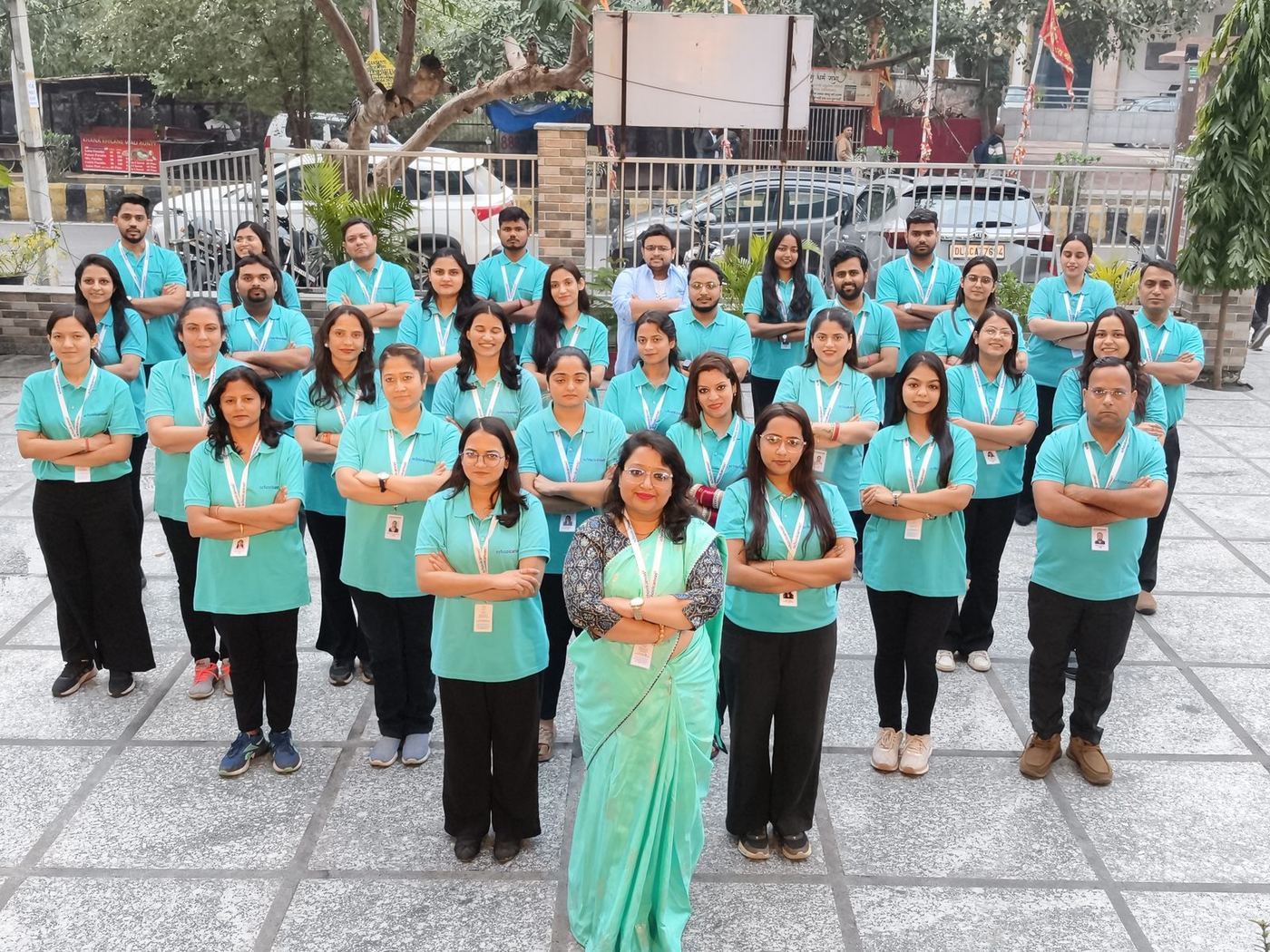
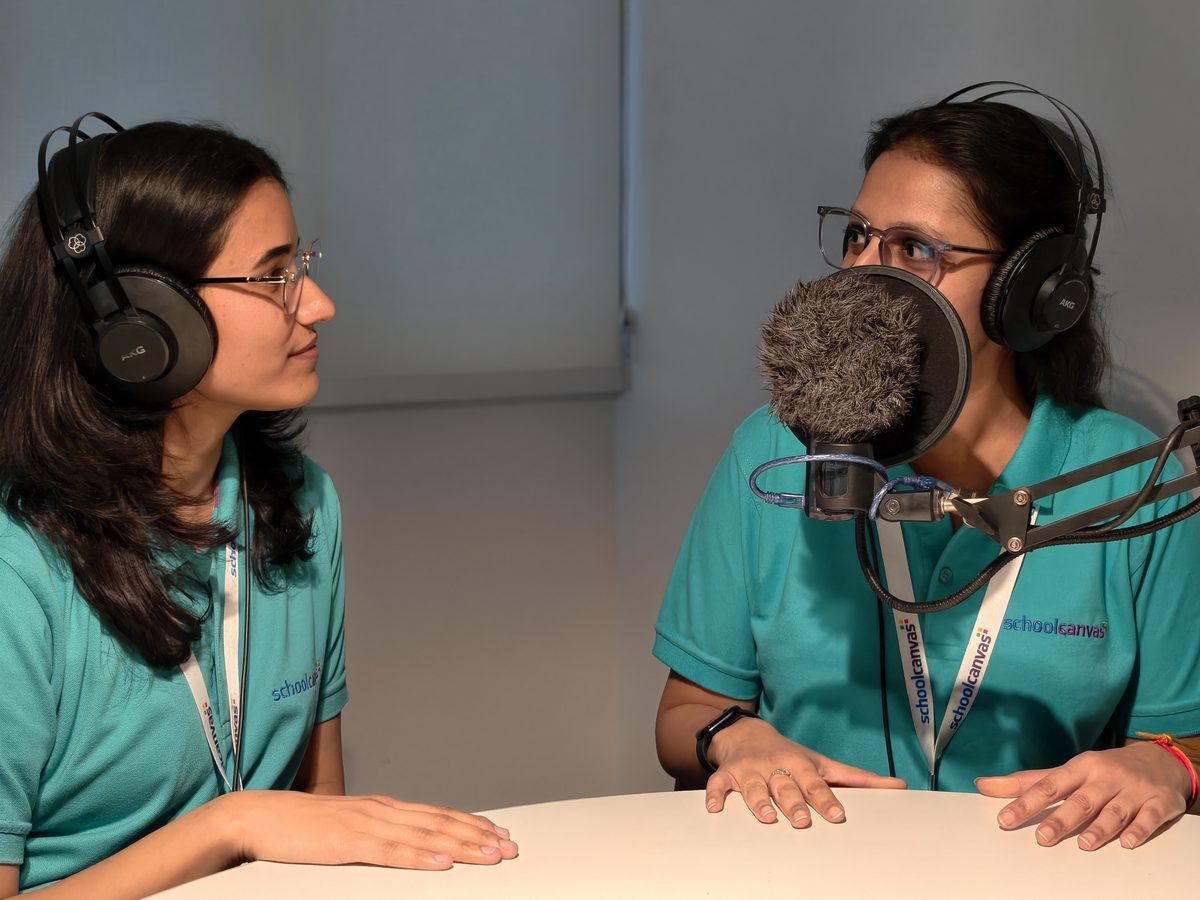
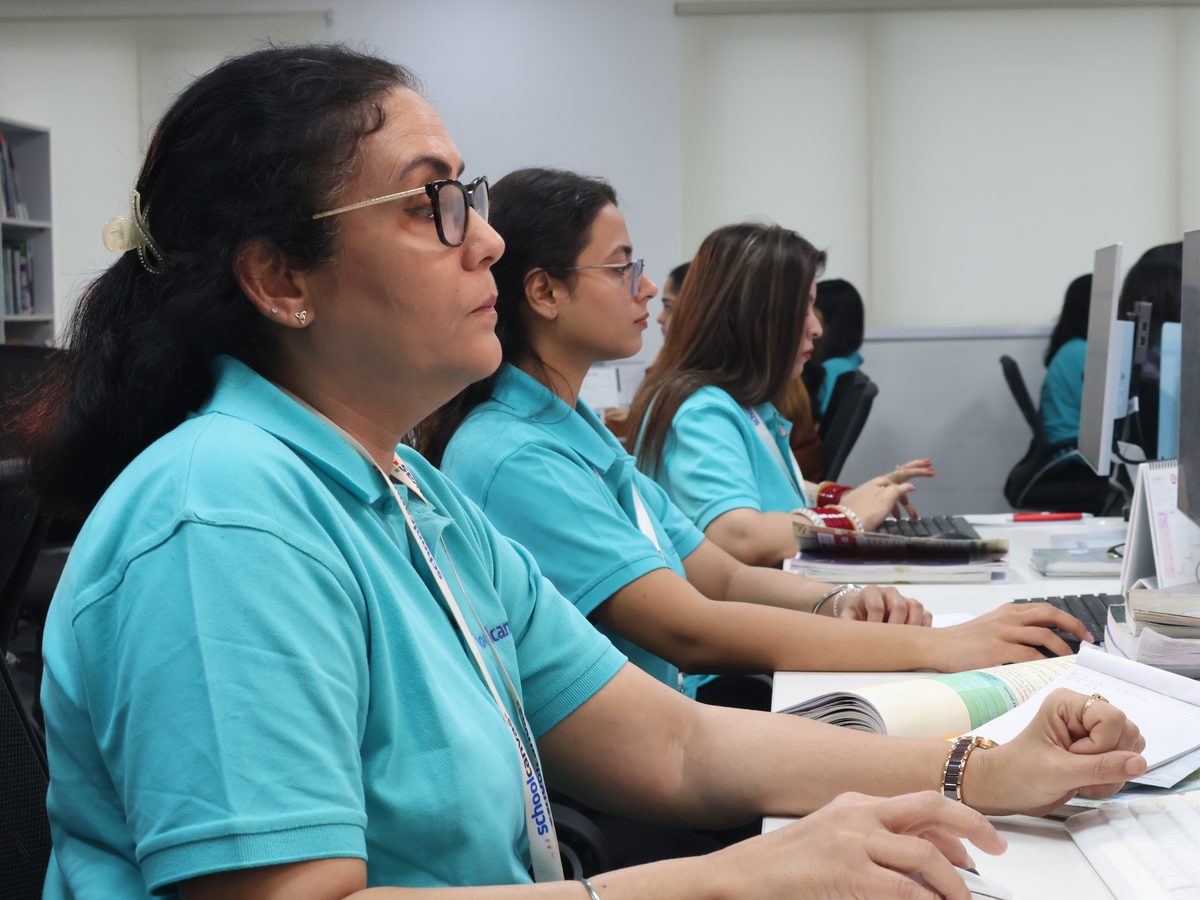
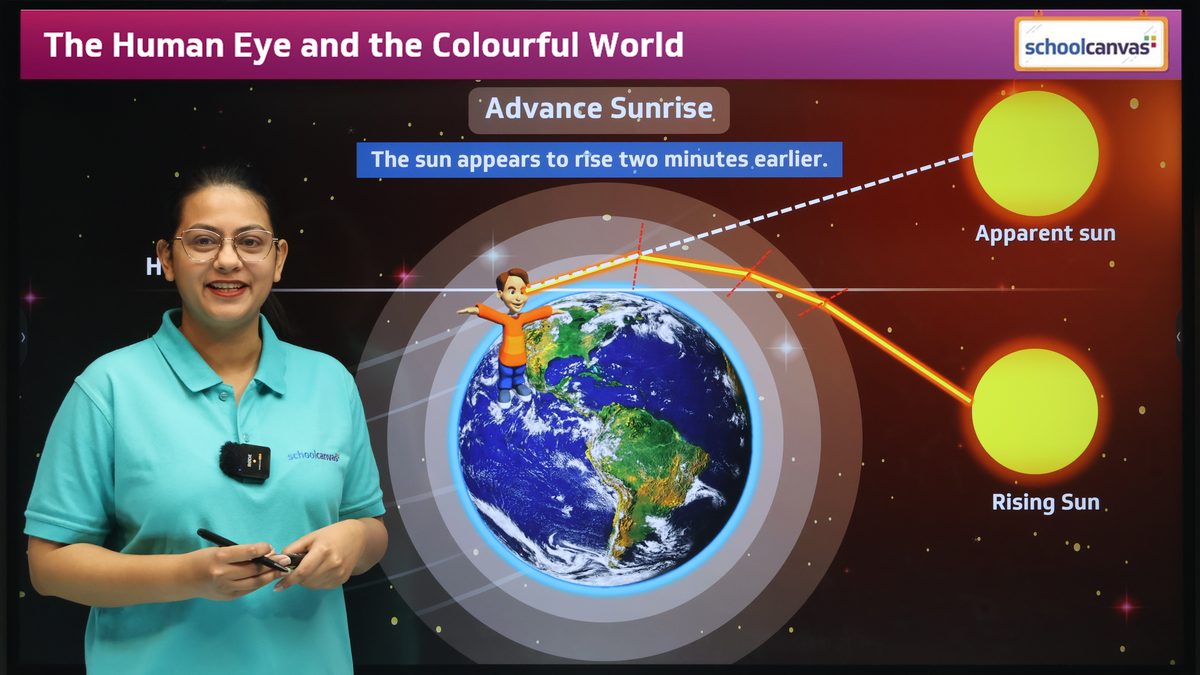
New teachers ready from day one
Refresher videos and ready lessons help a new teacher prepare each chapter with confidence.
Always up to date
When the curriculum or exam pattern changes, our content and academic experts update Assist for you.

Minimal training time
Content arrives ready to teach and already structured, so teachers don’t need weeks of content training.

Every student seen
Teachers know each student’s level of understanding at all times, and can give each child attention.

Online training, on-campus help
Online training sessions for every teacher, and our support team can visit your campus for hands-on help.
School-wise teaching plans
Teaching plans curated for your school, your calendar and your classes, not a generic timetable.

One standard in every section
Every section of a class gets the same well-structured lesson, whoever teaches it.

Chapter in one shot
Quick, complete chapter-wise revision with the key concepts of each chapter in one place.
Built for CBSE, ICSE and state boards, so what students practise is what they face in the exam.
- 01
Board question patterns
MCQ, case-based, assertion-reason and competency-based questions, in the format your board uses today.
- 02
Bloom’s taxonomy at every level
From remembering to creating, with questions mapped to learning outcomes, so students build real understanding.
- 03
NEP 2020, NCF and NCERT
Lesson plans and activities that support competency-based, experiential learning, with CBSE content that follows the latest NCERT textbooks.
- 04
Beyond the syllabus
Higher-order questions for students preparing for IIT-JEE and Olympiads, alongside regular board practice.
Teaching and school management, on one platform.
Assist works perfectly well on its own, and you can buy it without the ERP. If your school also runs the Schoolcanvas ERP, you get a school ERP and LMS fully integrated: marks from Assist tests flow straight into Schoolcanvas report cards, with no double entry, no separate logins, and one web and mobile app for academics and administration.
- Test marks from Assist flow straight into report cards, including the Holistic Progress Card
- Parents see homework, worksheets and progress in the Schoolcanvas parent app
- Management sees academics and administration in one dashboard
- One login for teachers, students and parents
- Science · unit tests A2 · 88
- Maths · unit tests A1 · 93
- Worksheet · Photosynthesis 84%
- Homework · Ch 7 Submitted
- Revision plan 2 topics
AI that assists. Teachers who decide.
Assist is built to support teachers, never to replace them. Every AI output is a draft for the teacher to review, and your school’s data stays your school’s.

Teachers review every AI draft
Quizzes, worksheets, comments and suggested marks are drafts. Teachers check, edit and approve them before anything reaches a student.
Expert-checked ready content
Our academic team reviews the presentations, videos, worksheets and question bank for accuracy and board alignment.
- 20 questions drafted Class VIII Maths
- Answer key Included
Nothing goes to students until a teacher approves it.

Student data never trains public AI
Student data is never used to train public AI models. It is used only to help your teachers and students.
Your school owns its data
The data belongs to your school, protected with role-based access, so each person sees only what their role needs.
DPDP-ready
Built with India’s Digital Personal Data Protection Act in mind. How we protect data
Made for the people who teach and learn.
Assist gives each person what they need: consistency for school leaders, time for teachers, a head start for new teachers, the right practice for students and a clear picture for parents. So no student is left behind.
Consistent teaching quality across every class and section.
You are accountable for results across every section and every teacher. Assist ensures every classroom gets the same well-structured lessons and gives you real-time visibility into what is being taught and how well students are learning.
Book a demo for your roleBefore
- Lesson quality depends on who teaches the section
- Learning gaps known only after the term exam
- No clear view of what happens in each classroom
- Remedial classes planned on guesswork
- Weak results noticed only at the end of the year
With Schoolcanvas
- The same structured lesson in every section
- Mastery and readiness reports, class by class
- A live academic dashboard down to each student
- Diagnostic reports and a personalised plan for every student who needs one
- Gaps found early, so results improve across the school
More time for students, less for preparation.
Assist takes on the preparation and the checking, so you can spend your energy on teaching and on the students who need you most.
Book a demo for your roleBefore
- Sundays spent making worksheets and papers
- Pausing and rewinding videos on the smart board
- Checking a stack of answer sheets by hand
- Guessing why a student keeps getting it wrong
With Schoolcanvas
- Ready lessons, worksheets and tests, always up to date
- 10+ AI tools with no prompts to learn
- OMR scanning and AI-suggested marks you confirm
- Diagnostic reports that pinpoint each student’s concept gaps
Confident from your first week.
New to the school, the board or the subject? Every chapter comes with a refresher video, a lesson plan, a presentation and ready practice, so you never walk into a class unprepared.
Book a demo for your roleBefore
- Building every lesson from scratch
- Unsure how deep to go for the board
- Months before teaching feels natural
With Schoolcanvas
- Refresher videos for each chapter
- Lesson plans aligned with NEP 2020 and NCF
- Board-pattern questions ready to use
Learn at your own pace.
Clear visuals, quizzes that keep everyone involved, and practice that matches what each student actually needs, right up to the board exam.
Book a demo for your roleBefore
- The same worksheet as everyone else
- Not knowing which concept is the real problem
- Waiting for the test to know what went wrong
- Running out of time in the exam
- Last-minute revision from scattered notes
With Schoolcanvas
- A personalised plan built from your own diagnostic report
- Personal practice and revision plans
- Timed practice that builds speed, accuracy and time management
- Quizzes during class that include everyone
- One-shot chapters, handouts, mind maps and formula sheets
See real progress, not just marks.
Parents see what their child is practising, how they are doing and where they need help, so conversations at home and at the PTM are specific.
Book a demo for your roleBefore
- Marks once a term, with little explanation
- Not knowing what homework is due
- No idea which topics are weak
With Schoolcanvas
- Homework, worksheets and progress in the app
- Diagnostic reports that show strengths and gaps by subject
- Anecdotal records that follow the child year after year
- Revision plans they can support at home
Questions about Assist.
What is Assist?
Assist is the AI-powered learning management system from Schoolcanvas. It gives teachers ready lessons, worksheets, tests and revision material from Nursery to Grade 12, plus 10+ AI tools, and tracks every student’s progress through the teach, practise, test and revise cycle.
Which boards and classes does Assist cover?
Assist has content for CBSE, ICSE and state boards, from Nursery to Grade 12, following each board’s syllabus and question patterns. Ask us in the demo for the exact coverage for your board and subjects.
Does it help with IIT-JEE and Olympiad preparation?
Yes. The question bank includes higher-order questions for students preparing for IIT-JEE and Olympiads, alongside regular board practice.
What is the diagnostic report?
Students take diagnostic tests regularly through the year. The diagnostic report shows, for each student and each subject, the exact concepts they haven’t yet mastered, and often the earlier concept behind the gap. Based on it, Assist creates a custom teaching plan for that student, with videos, worksheets and goals, which the teacher reviews before it starts. The next diagnostic test shows which gaps have closed.
What happens when the syllabus or exam pattern changes?
Our content and academic experts update Assist for you. When a board changes its syllabus or question patterns, the lessons, worksheets and question bank are updated, so your teachers don’t have to track the changes themselves.
What should we look for in an LMS for CBSE schools in India?
Look for ready, board-aligned content as well as tools. Assist is an AI LMS for schools that covers Nursery to Grade 12, with content for CBSE, ICSE and state boards: animated presentations for the smart board, concept videos, lesson plans aligned with NEP and NCF, worksheets, chapter-wise tests and a question bank across all levels of Bloom’s taxonomy. It adds 10+ AI tools for teachers, and our academic team keeps the content updated when the syllabus or exam pattern changes. You can try it free for a month.
Can teachers add their own material?
Yes. Teachers can upload their own notes, slides and videos alongside Assist content, and build custom worksheets by choosing, editing or writing their own questions.
Will it work on our existing smart boards?
Yes. Assist’s smart class content works on any smart screen, interactive panel or projector your school already has. No special hardware is needed.
Do teachers need to learn how to write AI prompts?
No. Each AI-Play tool is ready to use: choose the class, subject and chapter, and Assist creates a draft. Teachers review and edit it before use.
Is the AI-generated content accurate?
Teachers review every AI draft before it reaches students, and our academic team checks the ready-made content. AI can make mistakes, which is exactly why Assist treats every AI output as a draft for the teacher, never a final answer.
How does AI-assisted checking work?
Objective answers are read by the OMR scanner and marks are uploaded in one click. For written answers, AI suggests marks and feedback on screen, and the teacher reviews and confirms every one, so the final mark is always the teacher’s.
Can Assist create question papers and run online assessments?
Yes, and teachers stay in charge. Assist has ready exam-style papers built to the board blueprint for half-yearly and annual exams, fully customisable, plus chapter-wise tests and an AI tool that validates a question paper before it goes out. For marking, the integrated OMR scanner reads objective answer sheets and uploads marks in one click, and written answers get AI-assisted on-screen correction that teachers review and confirm.
What reports does Assist give?
More than 15 detailed reports, including the diagnostic report, personalised student report, mastery report, class and section analysis, question-wise report, assessment snapshot, performance groups, readiness report and LMS usage report, plus a real-time academic dashboard and a custom report builder. Teachers, academic heads, parents and students each see the reports meant for them.
How is Assist different from free AI chatbots?
A general chatbot doesn’t know your board, your syllabus or your students. Assist’s tools are built around the chapters and question patterns your students face, sit next to ready, expert-checked content, and connect to each student’s progress.
Is student data used to train AI?
No. Student data is never used to train public AI models. It belongs to your school and is used only to help your teachers and students.
Who can see our data?
Your school owns its data. Access is role-based, so teachers, students, parents and leaders each see only what their role needs.
Is Assist DPDP-ready?
Yes. Assist is built with India’s Digital Personal Data Protection Act in mind. Our data protection page explains how we handle and protect your school’s data.
Do we need the Schoolcanvas ERP to use Assist?
No. Assist can be bought and used on its own. If your school also uses the Schoolcanvas ERP, the two connect, so marks, homework and progress flow into report cards and the parent app.
How do teachers learn to use Assist?
Through online training sessions when your school starts, and our support team can also visit your campus for hands-on help. Because the content arrives ready to teach, teachers need very little training time, and our academic team supports your school with curated teaching plans.
How much does Assist cost? Is there a free trial?
Pricing depends on your school’s size and needs. Book a demo and we’ll share a quote. You can try Assist free for a month before you decide.
Guides for Assist

Plug in the rest of your school.
Every Schoolcanvas suite shares one student record. Add another and it simply plugs in.
- Academics & ExaminationTimetables, exams and report cards in any board format, including HPC, fed by Assist marks.Explore →
- CommunicationHomework, worksheets and progress reach parents on the app, WhatsApp or SMS.Explore →
- Student ManagementOne record for every student, with attendance from the teacher app.Explore →
- Data protectionHow Schoolcanvas protects your school’s data under the DPDP Act.Explore →
See Assist with your own syllabus.
A 45-minute demo with an academic specialist, using a chapter from your board and class. We’ll call you within 4 working hours to fix a time.
Your free demo can cover
- Your own data, formats and processes
- The modules you need, from admissions to fees
- The apps for parents, teachers and staff
- Assist, the AI LMS for your teachers
- A setup plan and a quote for your school
- Call back in 4 working hours
- Free data migration
- 1-month free trial
Book my free demo
Takes 30 seconds. No commitment.
Give every teacher the support they deserve.
Mon–Fri 9 am – 6 pm · Sat 9 am – 4 pm